
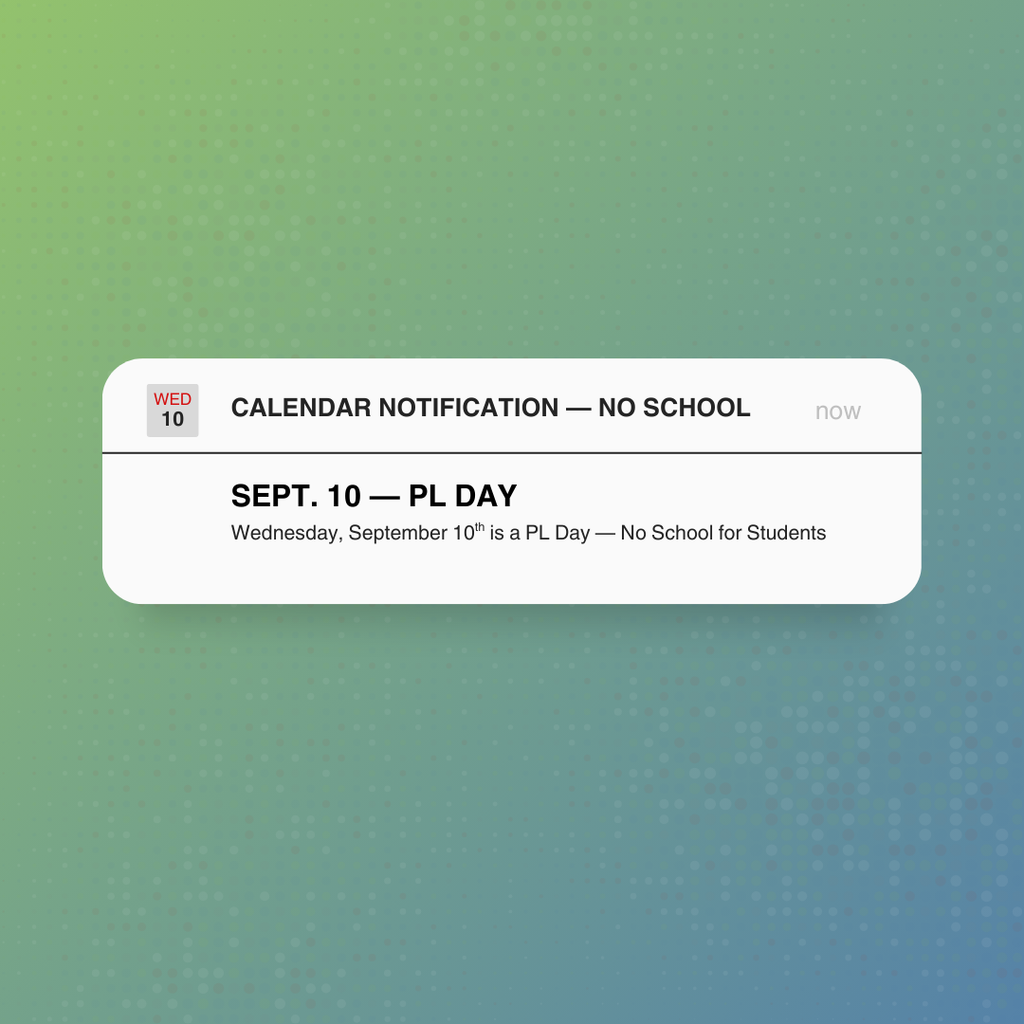
📚💡Calendar Reminder — PL Day
No school for students tomorrow, Wednesday, September 10th.
No school for students tomorrow, Wednesday, September 10th.

Please remember your neon green car tags. Have them visible on your car dashboard during the entire pickup process. We have several various adults working pickup, and we need to make sure things go quickly, safely, and smoothly. We will start checking IDs for those who don't have a car tag soon, and that will make pickup go a lot slower. Thanks for your help in making our school safe and efficient!

🚍 New Way to Find KCS Bus Changes 🚍
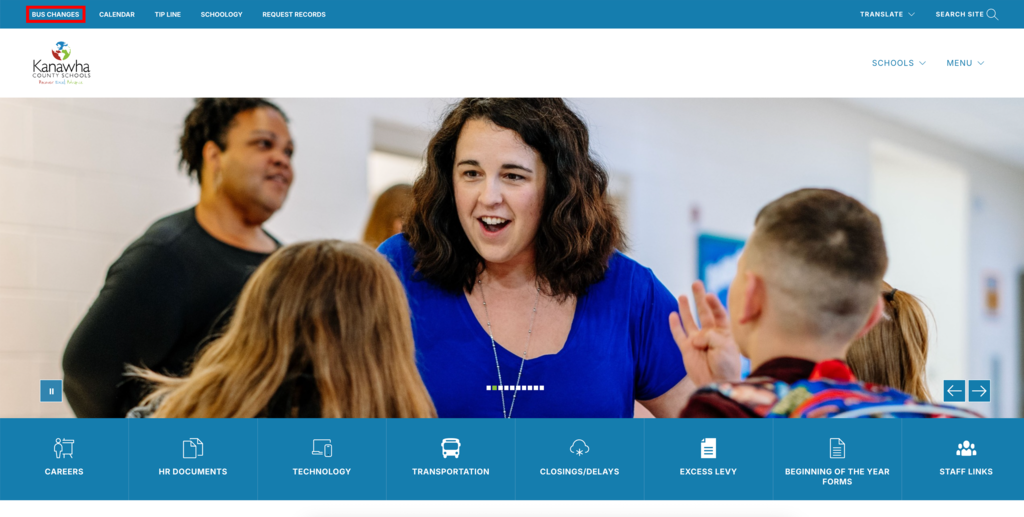
We’ve added a “Bus Changes” quick link at the top of the KCS website!
✅ This link will take you to a page with all AM and PM bus changes, organized by terminal.
✅ Beginning Tuesday(9/2), district-wide bus changes will ONLY be posted on this page by the KCS Transportation Department.
✅ Some schools may still share their own school-specific bus changes on Schoology, but district-wide updates will not appear on Schoology anymore.
👉 Be sure to check the “Bus Changes” link daily for the most up-to-date information.
We hope this makes it easier for families to quickly find the information you need!
We’ve added a “Bus Changes” quick link at the top of the KCS website!
✅ This link will take you to a page with all AM and PM bus changes, organized by terminal.
✅ Beginning Tuesday(9/2), district-wide bus changes will ONLY be posted on this page by the KCS Transportation Department.
✅ Some schools may still share their own school-specific bus changes on Schoology, but district-wide updates will not appear on Schoology anymore.
👉 Be sure to check the “Bus Changes” link daily for the most up-to-date information.
We hope this makes it easier for families to quickly find the information you need!
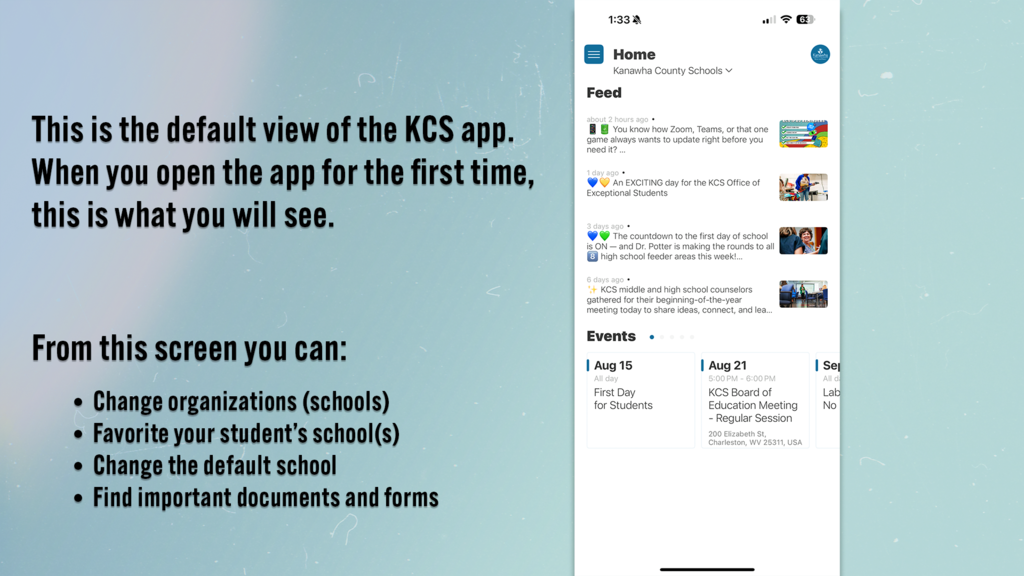
📱 New KCS App: Tips for Parents!
Our new KCS app makes staying connected with your child’s school easier than ever! Here are a few quick tips to get the most out of it:
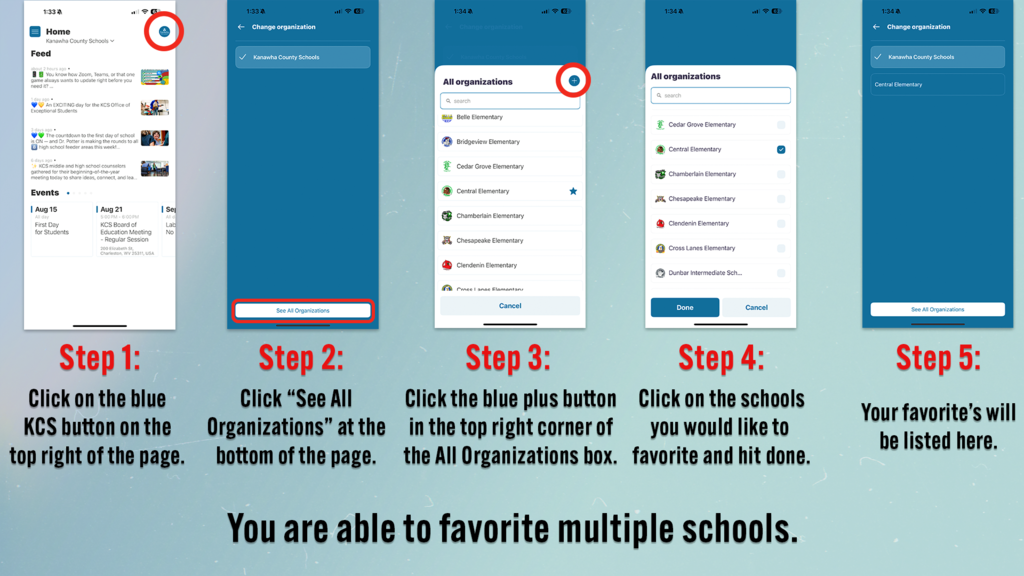
1️⃣ Favorite Your Student’s School – Make sure your child’s school is marked as a favorite so you can access it quickly. You can favorite multiple schools so you can easily flip back and forth between multiple schools.
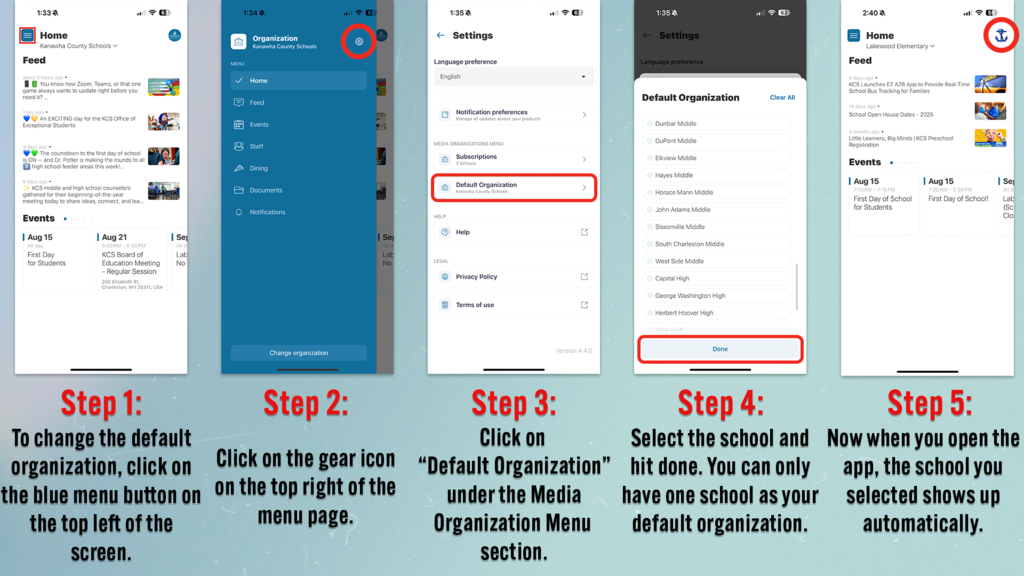
2️⃣ Set the Default School – Change your default school so when you open the app, your child’s school appears first instead of the district page.
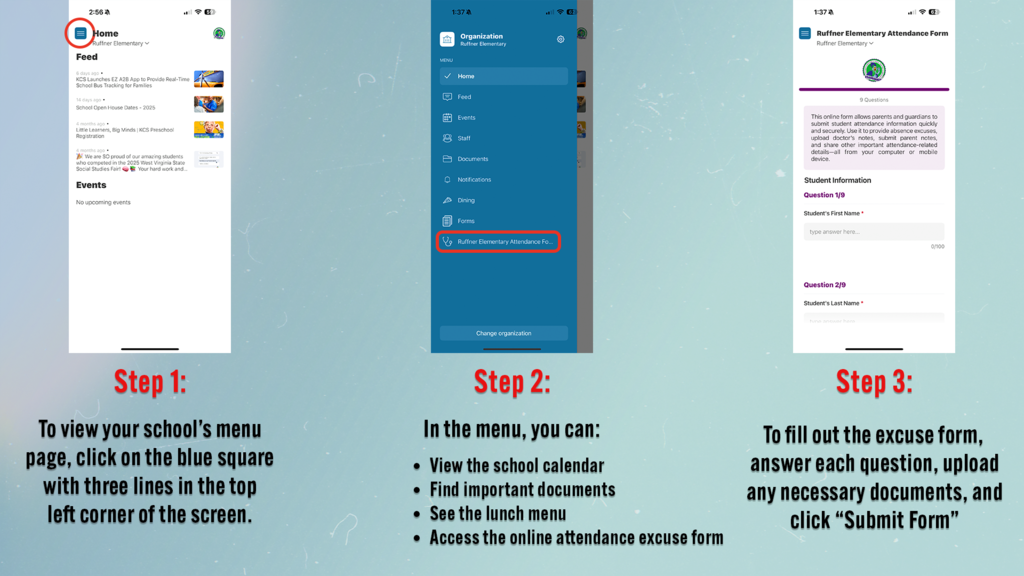
3️⃣ Explore the Menu – Find important info like documents, lunch menus, the school calendar, and the online attendance excuse form—all in one place!
Check out the images below for step-by-step instructions. 👇
Our new KCS app makes staying connected with your child’s school easier than ever! Here are a few quick tips to get the most out of it:
1️⃣ Favorite Your Student’s School – Make sure your child’s school is marked as a favorite so you can access it quickly. You can favorite multiple schools so you can easily flip back and forth between multiple schools.
2️⃣ Set the Default School – Change your default school so when you open the app, your child’s school appears first instead of the district page.
3️⃣ Explore the Menu – Find important info like documents, lunch menus, the school calendar, and the online attendance excuse form—all in one place!
Check out the images below for step-by-step instructions. 👇